
When I first started to set up my blog on WordPress, I had to consider a few elements which would help me get up and running. I feel that WordPress was the best CMS (Content Management System) website for me – these are websites which use their already programmed coding for you to easily create a website without having to code yourself, the database they have can help us to control and edit the digital media properties on the site.
Creating a name:
When I first opened up WordPress, the first thing it asks me to do is choose a name for my URL link. It was difficult choosing one that was free and relevant to my blog, e.g; some suggestions came up with ones related to food instead of design. I settled with ‘rachelsimage.design.blog’ which fit perfectly with my blog’s identity. When setting up a blog name, it has to be catchy and clear!

Adding the menu links:
Menu links are important in navigating the website. I added different menu links such as; ‘Contact Me‘ , ‘Portfolio‘ and ‘Blog feed‘. I did this by clicking on the ‘Site‘ settings and then the ‘Pages‘ tab, and I added them individually. You can edit their content by clicking on the three dots at the side.


Picking a theme:
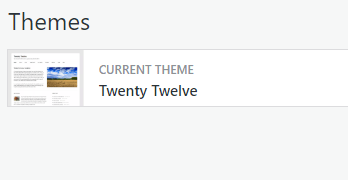
For my blog, I had to keep it modern and simple. After clicking on ‘Customise‘ and then scrolling through ‘Themes‘, I ended up choosing the ‘Twenty Twelve‘ theme.
Customising:
I chose my blog name, blog tagline and site icon through clicking on ‘Customise‘ -> ‘Site Identity‘. I created my Icon through ‘Looka‘ – an online logo maker.

Choosing a background colour:
Under the Customise tab, I also decided to choose a background colour to add a more interesting colour palette to my blog. I think a light pink colour went well with my overall blog theme.

Hopefully this helped in guiding you towards making a blog, I find that customising your blog to the persona and identity you want to portray is helpful in establishing your blog’s brand. Colour and typography are very important in expressing this!

